
chiica: Earn & Spend Local Currency via QR
Overview
chiica is a mobile payment application designed for Android users, developed by TRUSTBANK INC. The app enables users to make payments using a local digital currency through QR code scanning. It supports transactions by linking to a user’s bank account or credit card, allowing seamless payments at participating merchants.
The core purpose of chiica is to promote local economic circulation by encouraging spending within specific communities through a points-based reward system. Users earn points by scanning QR codes at partner stores, which can later be redeemed for discounts or cashback. This model supports small businesses and strengthens regional economies.
The app is free to download and use, making it accessible to a broad audience, including consumers, small business owners, and community-focused users. It is particularly suited for users in areas where local currency initiatives are active. The app’s functionality is limited to Android devices, and its use depends on merchant participation in the chiica network.
The developer did not provide additional system requirements.
Key Features & Capabilities
- QR Code Payments – Users can scan QR codes provided by local merchants to initiate payments. These codes direct users to a secure payment page where they can complete transactions using their linked bank account or credit card.
- Points Earning System – Every transaction made via the app earns the user points. The more often users pay with chiica, the more points they accumulate, unlocking greater rewards over time.
- Points Redemption – Accumulated points can be used to purchase goods or services from participating merchants. To redeem, users must visit a merchant’s store and scan the QR code again, triggering a points-based transaction.
- Event-Based Rewards – The app offers special promotions and events that provide bonus points, encouraging active participation and repeat usage.
- Local Currency Integration – chiica operates as a digital form of regional currency, allowing users to spend locally and support community-based businesses.
These features support a circular economy model, where spending drives rewards, and rewards encourage further spending. For example, a user visiting a local café can scan a QR code, pay with their card, earn points, and later use those points to buy groceries at a nearby market. The app simplifies digital payments while promoting sustainable local economic activity.
User Interface, Workflow & Performance
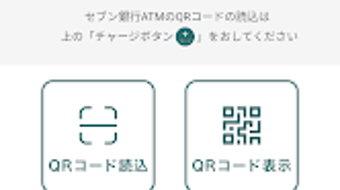
The user interface of chiica is designed for simplicity and speed, focusing on quick access to payment functions. The main screen displays a QR code scanner, transaction history, and a points balance. Navigation is intuitive, with clearly labeled sections and minimal onboarding steps.
The workflow follows a logical sequence: scan QR → select payment method → confirm transaction → receive points. This streamlined process reduces friction during payment. The app does not require a complex setup, and users can begin using it immediately after registration.
Performance observations are based on general software behavior patterns. The developer did not specify resource usage details. No reports of crashes or instability were mentioned.
The app runs within the standard Android environment and does not require root access or special permissions beyond those needed for payment processing and camera access.
Compatibility & System Requirements
chiica is compatible with Android devices running version 6.0 and above. The app has a file size of 12.5 MB, indicating a lightweight installation. It is designed for mobile smartphones and tablets with a camera and internet connectivity.
Exact system requirements were not listed. Compatibility information was partially provided. Users should ensure their device meets minimum Android version standards and has a functional camera for QR scanning.
The app does not support iOS or desktop platforms. No additional hardware requirements were specified.
Pros and Cons
Pros
- Free to download and use, no hidden fees
- Encourages local spending and community economic growth
- Simple QR-based payment system with instant transaction confirmation
- Points system provides tangible rewards for frequent usage
- Lightweight app size (12.5 MB) for quick installation
Cons
- Currently available only on Android, no iOS or desktop support
- Points redemption requires physical presence at a merchant’s store
- Dependent on merchant participation for full functionality
- App features limited to payment and points tracking, no advanced financial tools
- No information on data encryption or security protocols
FAQ Section
Is chiica available for iOS devices?
As of now, chiica is only available for Android devices. There is no official iOS version released.
How do I earn points with chiica?
You earn points by making payments through the app using a QR code scanned at a participating merchant. The more transactions you complete, the more points you accumulate.
Can I use points without a merchant account?
No. To use points, you must have a valid account with a merchant that participates in the chiica network. Points are only redeemable at partner stores.
Is the app secure?
The app uses standard payment processing methods, but the developer did not provide specific details on data encryption or security measures.
How often does the app update?
Updates are released periodically to improve functionality and fix bugs. The latest version is 2.0.0, released on May 15, 2024.
Final Thoughts & CTA
chiica offers a unique blend of digital payments and community-driven rewards, making it a valuable tool for users who want to support local businesses while earning tangible benefits. Its QR-based system is intuitive and efficient, and the points program incentivizes consistent usage. While limited to Android and dependent on merchant participation, it fills a niche in the mobile wallet space by focusing on regional economic sustainability.
The lightweight design and free access make it accessible to a wide audience. For users in areas with active chiica partner networks, this app presents a practical way to spend, save, and earn locally. Download chiica now and start earning rewards with every purchase.







